Loading...
Blog2023-01-25T16:53:58+08:00

Blog Shortcode

This is a very versatile shortcode, allowing you to display posts on any page.  Choose from 6 blog designs along with a plethora of customization options. Create unlimited blog pages each with a unique look and category of posts. Compatible with both single and dual sidebars, the blog shortcode also allows you to build magazine style layouts, the possibilities are amazing!
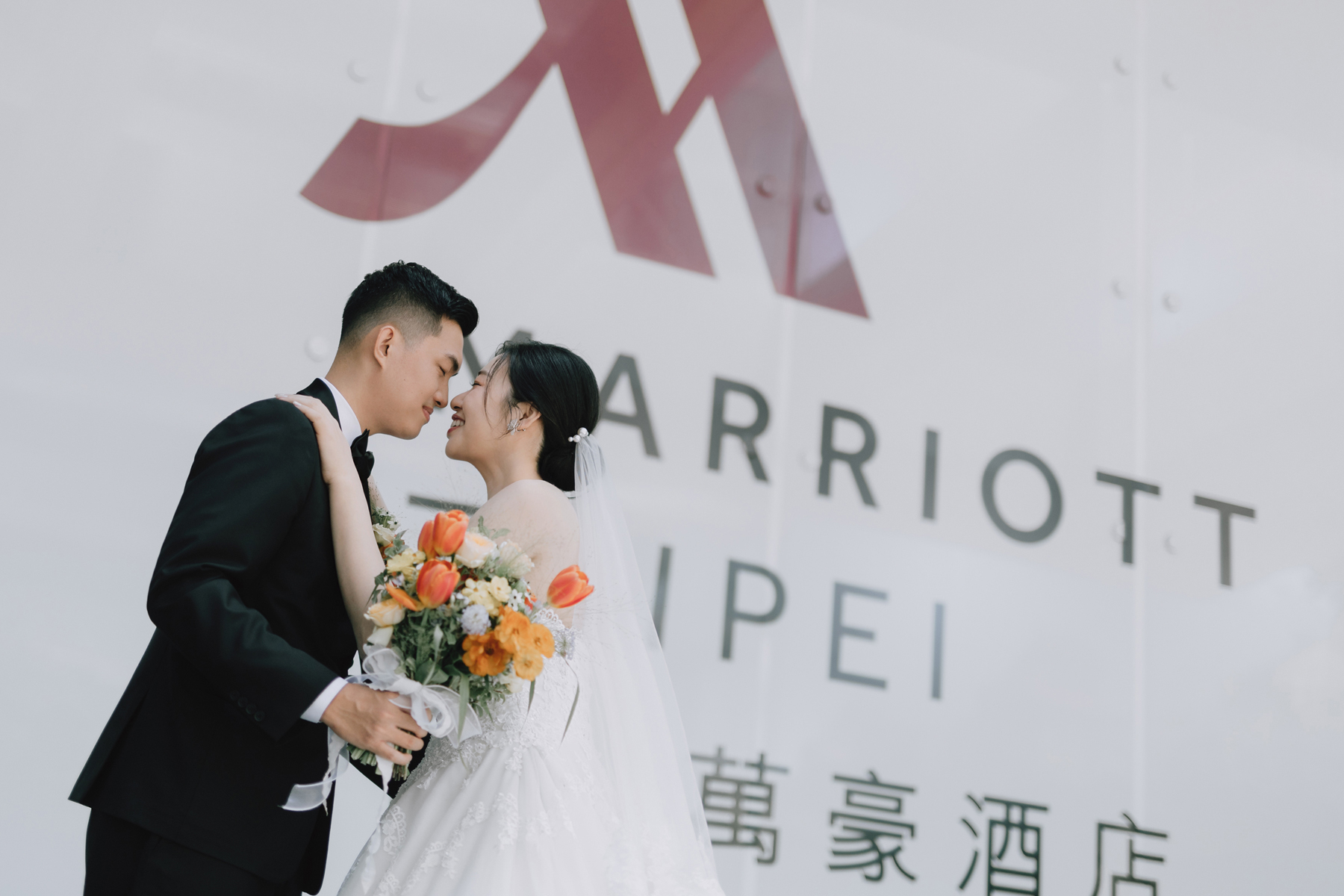
婚攝|律衡 & Vickie @墾丁華泰瑞苑

By |1 4 月, 2026|Categories: 婚禮紀錄|

這場在屏東墾丁 華泰瑞苑 (Gloria Manor) 舉辦的婚禮,完美詮釋了新人對國境之南渡假風婚禮的嚮往。遠離城市的喧囂,律衡與 Vickie 帶著最親密的家人與朋友,來到恆春半島這座充滿自然與歷史底蘊的絕美莊園,享受一場猶如海外 Destination Wedding 般的浪漫盛宴。 華泰瑞苑最著名的,莫過於那片能將大尖山與湛藍海景盡收眼底的廣闊大草原。在這場戶外證婚儀式中,伴隨著南台灣溫暖的微風與和煦的陽光,新人緩緩步入會場交換誓詞,那份感動與自在的氛圍,是室內宴會廳無法取代的。身為攝影師,阿堯特別喜歡在這樣的自然光影下,捕捉新人與賓客之間最真實、不做作的互動與擁抱。 除了絕佳的場地,這場婚禮也匯聚了無比強大的神仙團隊。從精緻細膩的造型、完美融入自然景致的花藝佈置,到溫馨流暢的流程引導,每一個環節都無懈可擊。在墾丁純粹的光線下,我們為律衡與 Vickie 留下了猶如電影畫面般的類婚紗紀實,記錄下這專屬於他們的恆春美好時光。 [...]

婚攝|SAM.JENNIFER @誠品行旅

By |19 12 月, 2025|Categories: 婚禮紀錄|Tags: |

台北婚攝首選:OHHIYAO早安攝影在誠品行旅 In Between 廳的經典婚禮紀錄 尋找專業的婚攝團隊是每對新人最重要的任務。本次新郎 Sam 與新娘 Jennifer 選擇在充滿文藝氣息的誠品行旅舉辦婚宴,並委託擁有豐富婚禮平面攝影經驗的 OHHIYAO早安攝影 進行全程紀錄。在信義區獨具風格的 In Between 廳,我們運用敏銳的攝影觸角,捕捉每一刻充滿溫度的瞬間,讓這份永恆的愛在專業鏡頭下完美定格。 [...]

新竹婚攝|DANIEL EVA@波藤甜點

By |19 12 月, 2025|Categories: 婚禮紀錄|

新竹波藤甜點婚攝紀錄:OHHIYAO早安攝影捕捉皓雲與宜樺的唯美瞬間 這是一場充滿甜蜜香氣的婚禮!當專業的婚禮平面攝影遇上精緻的新竹知名場地,新人張皓雲 Daniel與呂宜樺 Eva選擇在波藤甜點舉辦他們的人生大事。作為資深婚攝團隊,OHHIYAO早安攝影深刻理解每一對新人對影像的要求。我們不只是按下快門,更是透過婚禮紀錄的視角,將當天的歡笑、淚水與每一道甜點的精緻感完美封存。 專業婚攝技術與 OHHIYAO 早安攝影的獨特視角 在新竹婚攝推薦名單中,OHHIYAO 以卓越的婚禮平面攝影技術聞名。在波藤甜點這種充滿質感的空間內,光線的運用至關重要。我們的團隊具備豐富的實戰經驗,能敏銳觀察現場環境光與新人互動的細節。婚攝張皓雲與呂宜樺的這場宴客中,我們運用了美式自然的構圖,確保每一張照片都具有電影感的敘事力,讓這場新竹婚禮的溫度得以永恆流傳。 為什麼選擇波藤甜點作為您的婚禮宴客場地? 波藤甜點位於新竹市中心,其獨特的室內氛圍非常適合追求個性化與精緻感的婚禮。對於婚攝而言,這裡的採光與裝潢提供了極佳的背景。在進行婚禮平面攝影規劃時,我們建議善用店內的溫馨角落進行類婚紗拍攝。OHHIYAO早安攝影對此類精緻場地有著豐富的拍攝經驗,能協助新人導引動作,讓婚禮紀錄不僅是活動的記載,更是藝術品的呈現。 本場婚禮服務廠商資料 新人姓名: 張皓雲 Daniel [...]

6 Design Layouts To Select

Each blog shortcode can use any of our 6 designs and can be used with a single or dual sidebar. Each instance has its own set of options for customization providing ultimate flexibility per use.

Create Unlimited Blog Pages

The Blog shortcode allows you to use it on as many pages as you wish. Each instance can have a unique set of categories that display giving you superior flexibility for various types of layout, even magazine style.

Loaded With Customization Options

Each blog instance you use has a massive set of options for customization. These options allow you to choose how each set of posts display, making it unique to your site.

Avada Admin

Number Of Posts

This option allows you to control the number of posts that will display with the blog shortcode.

Avada Admin

Categories

This option allows you to choose which category or categroies will display with the blog shortcode.

Avada Admin

Exclude Categories

This option allows you to easily exclude one or more categories. Perfect for those who have many.

Avada Admin

Post Excerpt

This option allows you to show a post excerpt or the full content of each blog post.

Avada Admin

Post Thumbnail

This option allows you to show or hide the blog post image that dispalys on each of your posts.

Avada Admin

Type of Scroll

This option allows you to choose infinite scroll, or classic numerical pagination for your posts.

Avada Admin

Pagination Type

This option allows you to choose if pagination will display for navigating through posts.

Avada Admin

Post Title

This option allows you to show or hide the blog post title that dispalys on each of your posts.

Avada Admin

Strip HTML

This option allows you to strip HTML from the post, which is perfect for when using excerpts.

Total Control Over Meta Deta Display

With each blog shortcode comes a full set of options for meta data. These options allow you to enable or disable each different section of meta data, or the entire set together.

Avada Admin
  • Show or hide all meta info with one easyoption.
  • Show or hide the author of the post.
  • Show or hide the individual post categories.
  • Show or hide the comment icon and number.
  • Show or hide the date of the post.
  • Show or hide the Read More link with icon arrow.
  • Show or hide the tags of the post.

Complete Set of Options 

That’s not all, see below for the every option included with the blog shortcode.

  • number_posts = numerical value to show how many posts you want per page, example 5. Can be -1 which means all posts will be displayed on one page
  • cat_slug = slug name of the category from which you want the posts to be displayed. Use a , for multiple categories
  • exclude_cats = slug name of the category you want to exclude. Use a , for multiple categories
  • title = one of these values: yes, no. This will show or hide the title
  • thumbnail = one of these values: yes, no. This will show or hide the image thumbnail
  • excerpt = one of these values: yes, no. This will show or hide the excerpt
  • excerpt_words = numerical value that controls length of excerpt
  • meta_all = one of these values: yes, no. This will show or hide all meta info
  • meta_author = one of these values: yes, no. This will show or hide the author
  • meta_categories = one of these values: yes, no. This will show or hide the categories
  • meta_comments = one of these values: yes, no. This will show or hide the comments
  • meta_date = one of these values: yes, no. This will show or hide the date
  • meta_link = one of these values: yes, no. This will show or hide the link
  • paging = one of these values: yes, no. This will show or hide pagination
  • scrolling = one of these values: pagination or infinite
  • strip_HTML = one of these values: yes, no. This will show or hide HTML in the excertps
  • blog_grid_columns = one of these values: 2, 3, 4, 5, 6. Controls the column width of blog grid layout
  • layout = one of these values: large, medium, large alternate, medium alternate, grid, timeline
  • class = add a custom class to the wrapping HTML element for further css customization.
  • id = add a custom id to the wrapping HTML element for further css customization.

Join The 100,000+ Satisfied Avada Users!

Go to Top